· 3 min read
Human Mode is live (in preview)
Six days ago I wrote about why I'm building Human Mode. Today you can install it.
Get Human Mode on the VS Code Marketplace
It's a preview, so expect rough edges. But it works, and I've been using it on my own code all week.
What you get
Click Human Mode in the status bar. It turns red and starts counting minutes. From then on, AI stops writing into your files. You write the code.
When you get stuck, ask the Navigator. It's an assistant in VS Code chat that can read and search your code, but has no tools to edit it. It hints, explains and reviews. You drive.
While a session is on, Human Mode also turns off inline suggestions and blocks the edit tools of Copilot's agent and Claude Code. When you switch off, everything is put back the way it was.
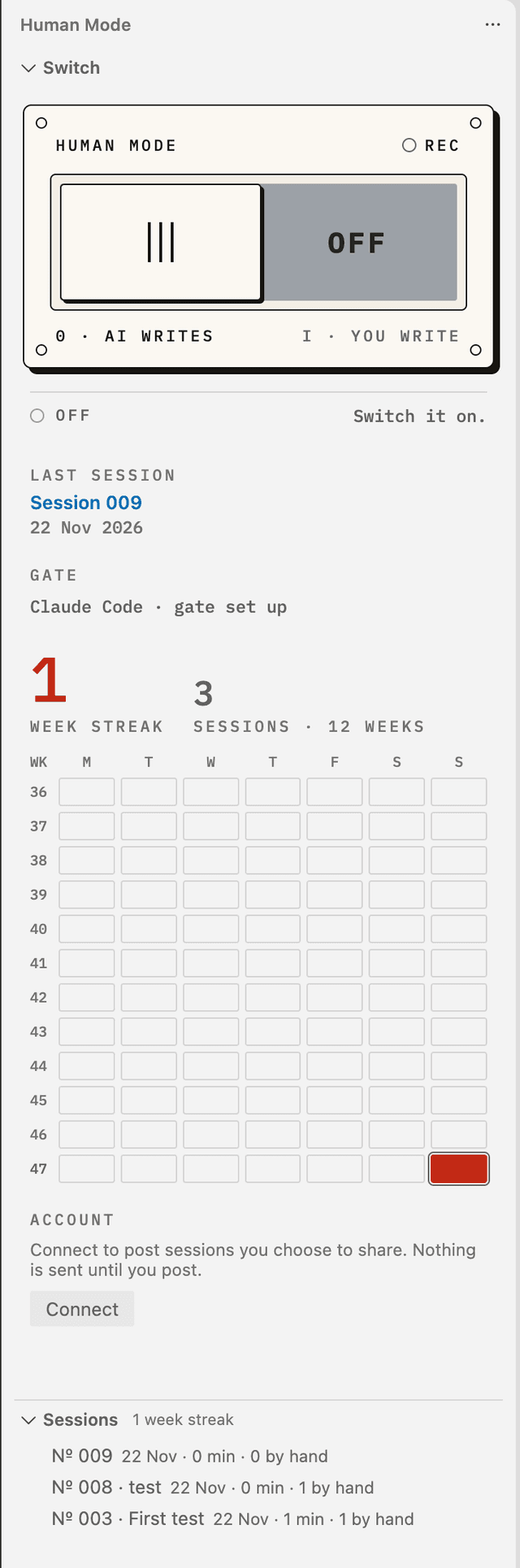
The session card
Switch off and you get a card of the session. Like a run log, for code:
- Time on. Idle gaps of more than five minutes don't count.
- Lines by hand. Lines where most of the characters were typed by you.
- AI inserts. Code that landed in your files without you typing or pasting it. The target is 0.
- Test runs. Tests you ran in the terminal.
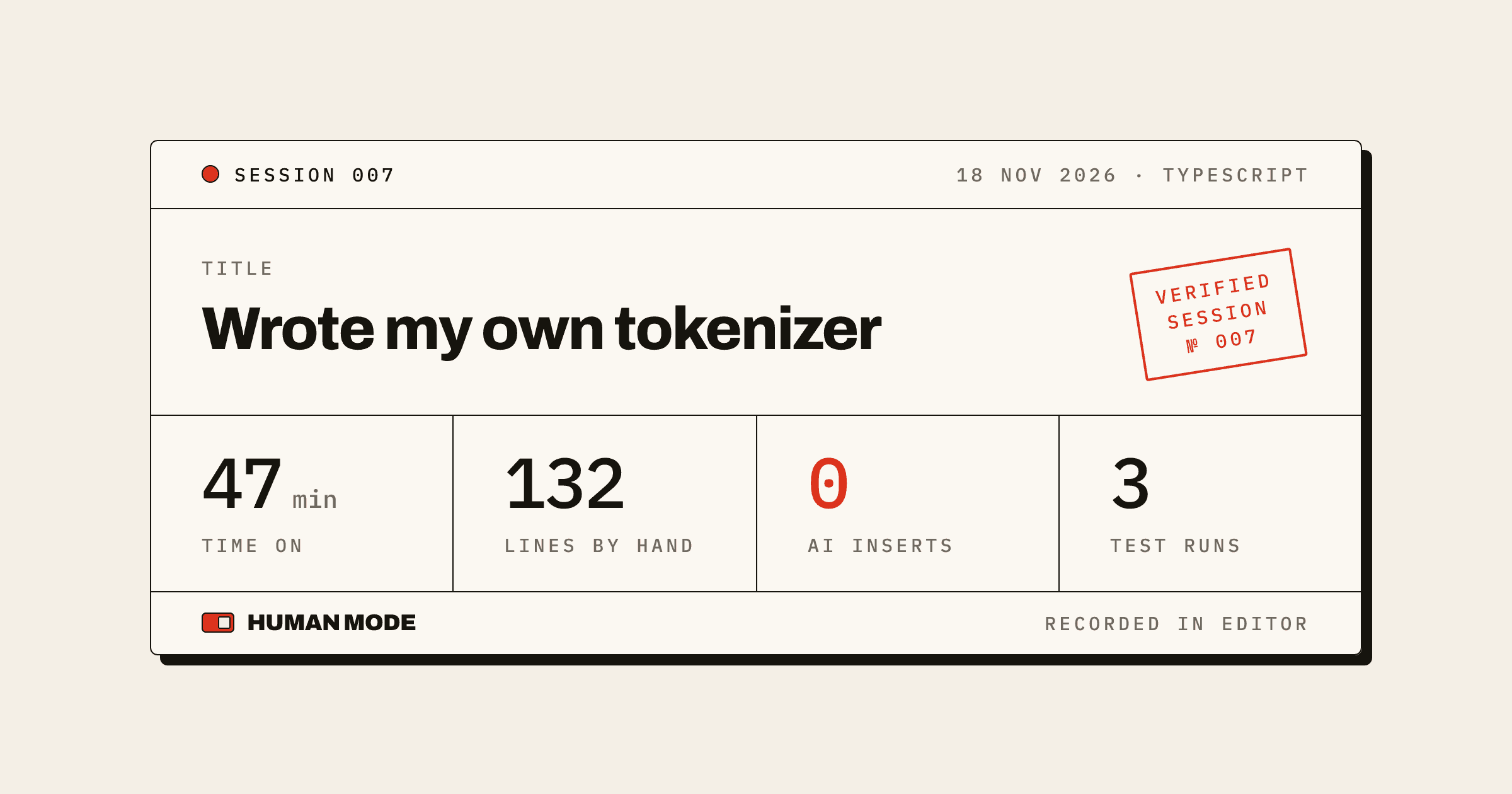
Save it as a PNG, copy it, or post it to the feed here on humanmode.dev. Every week with at least one session adds to your streak.
A feed, too
I didn't plan to build this much this fast, but the site now has accounts, profiles and a feed. You can post a session, give props, leave a comment, follow people and search for them.